Developer portal tools that auto-generate API references from OpenAPI and AsyncAPI specs
Auto-generation from specs keeps API docs in sync with reality.
A parameter gets renamed in the implementation, so the spec is updated to match, and SDKs regenerate against the new spec, but the prose reference page sitting on the developer portal keeps describing the old parameter name. A developer reads that page, builds a request around it, and gets a 422 back from the server. That developer doesn't file a bug against the spec. They file a support ticket, because from where they're sitting, the documentation lied to them. This is the mechanism behind API documentation drift, and it is the root cause of broken integrations, failed security audits, and a slow erosion of developer trust in a team's published docs.
The damage spreads further than one bad request. Deprecated endpoints linger in published docs long after they should have disappeared, authentication schemes get described in ways that no longer match what the API actually enforces, and breaking changes ship to production with no warning in the reference material a developer is reading. Security and compliance teams building governance frameworks on top of a stale spec walk away with false confidence: the audit passes because the documented contract looks sound, and the integration still breaks in production because the documented contract was never the real one. Once that happens to a developer twice, the response is predictable and rational. They stop reading the docs, so they start reverse-engineering the API's actual behavior from error messages and response payloads. At that point the documentation isn't just wrong, it has negative return on investment: it actively misleads the people it was written to help, and every hour spent writing it was an hour spent making the product harder to use.
Spec-driven generation closes that loop by making the spec itself the one build input for the documentation, so a spec update propagates to the published reference automatically rather than waiting on someone to notice and rewrite a page. The spec is the same artifact that governs the API's actual behavior, so documentation rendered directly from it cannot say something the API doesn't do, unless the spec itself is wrong. That last clause matters, and it will come back later in this piece, because generation does not forgive a bad spec, it only stops adding a second source of error on top of one. The delivery mechanism that makes this durable in practice is the docs-as-code pattern: documentation lives in Git alongside the spec, changes move through pull requests and peer review, and CI/CD handles the publishing step the same way it handles shipping application code. That turns documentation from a writing task, done by hand and reviewed on no particular schedule, into a build artifact that inherits the same discipline engineers already apply to compiled software. How that enforcement actually works, and where its guarantees stop, is worth its own treatment later in this piece.
What OpenAPI and AsyncAPI each cover
Treating "API documentation tool" as a single category is a mistake, because it breaks down the moment a team's API surface includes anything beyond request-response REST calls. OpenAPI and AsyncAPI are complementary specifications built to describe fundamentally different communication patterns, and a team that conflates them tends to pick a tool that only covers half of what it actually ships. AsyncAPI exists specifically for asynchronous and event-driven APIs: WebSockets, webhooks, and message brokers such as Kafka, MQTT, and AMQP, and within that domain it plays the same structural role that OpenAPI plays for REST. A team with mixed REST and event-driven surfaces is still assembling two separate toolchains.
AsyncAPI is actively maintained software in its own right. The specification reached version 3.1.0 in January 2026, and the 3.x line made a structural change: it separates operations, meaning send and receive, from channels. Earlier versions leaned on publish and subscribe keys that left bi-directional flows somewhat implicit. The 3.x structure makes those flows explicit, and that matters directly for bi-directional WebSocket and pub/sub systems, where a single channel might carry messages in both directions and a generator needs to know, unambiguously, which operations belong to which direction.
A third specification belongs in this picture, if only as a marker of where the landscape is heading. TypeSpec, built by Microsoft, lets large API teams generate OpenAPI from code rather than authoring YAML by hand. The tooling is mature, though the learning curve is steeper than writing OpenAPI directly, and there's a reasonable case that TypeSpec becomes the enterprise standard for spec authorship in the near term.
Tooling support for these two specifications has not caught up to the reality that many teams need both at once. If you run mixed REST and event-driven surfaces, you are, as of now, still assembling two separate toolchains to document them, because no dominant option handles both equally well. Most portal tools render OpenAPI competently and AsyncAPI only partially: they'll display message schemas without trouble but drop protocol bindings, meaning WebSocket upgrade headers, Kafka consumer group IDs, and MQTT quality-of-service flags disappear from the rendered output even though they exist in the spec. A generator that stops at the payload schema produces a page that looks finished and fails the moment a developer tries to actually open a connection with it. Anyone evaluating a tool against an event-driven surface should ask a direct question before signing a contract: does this tool render protocol bindings, or does it stop at message schemas? If it does, the generated docs are usable; if not, they're merely plausible-looking.
Auto-generation outputs: reference pages, code samples, and machine-readable output from one spec
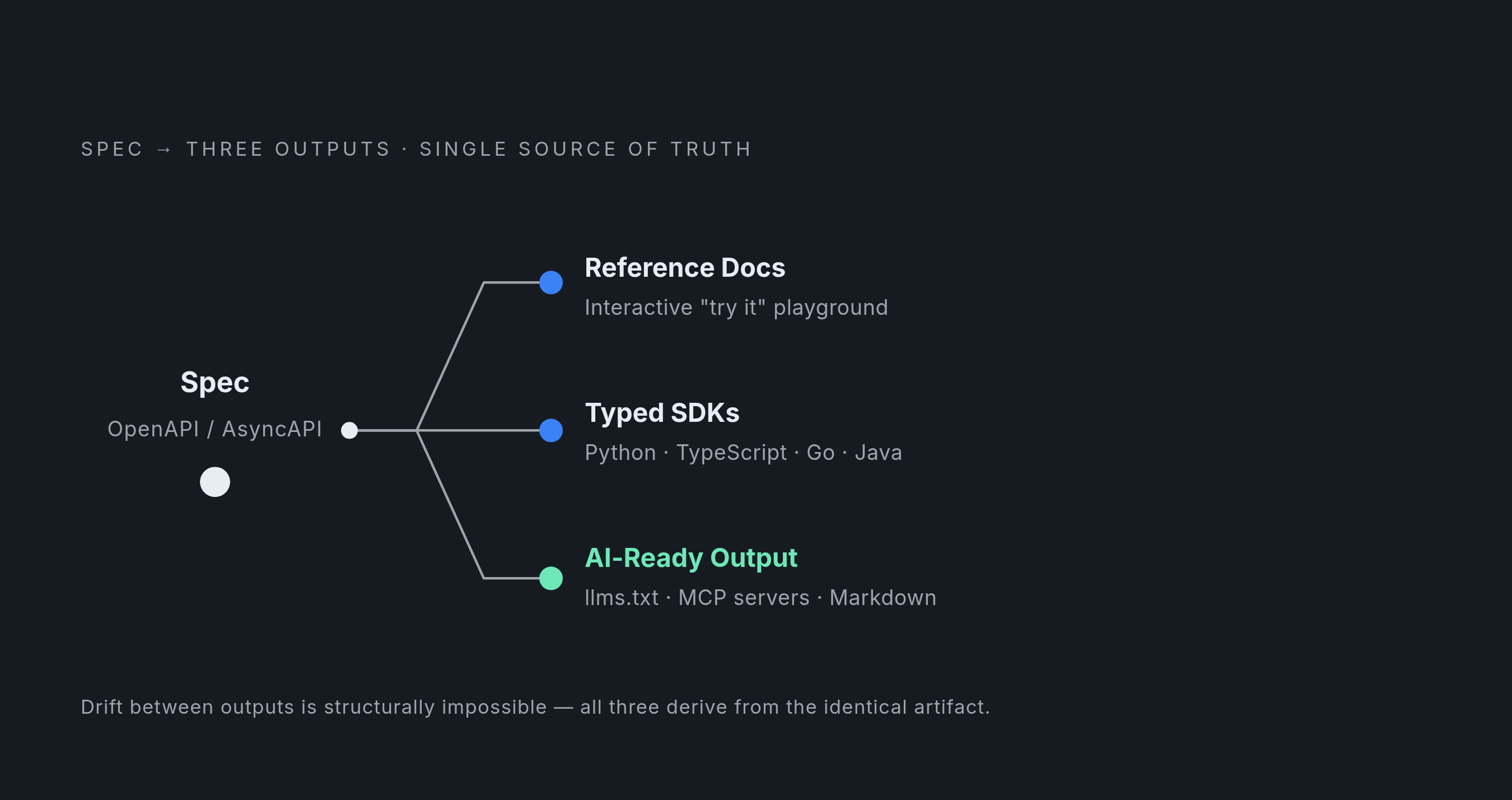
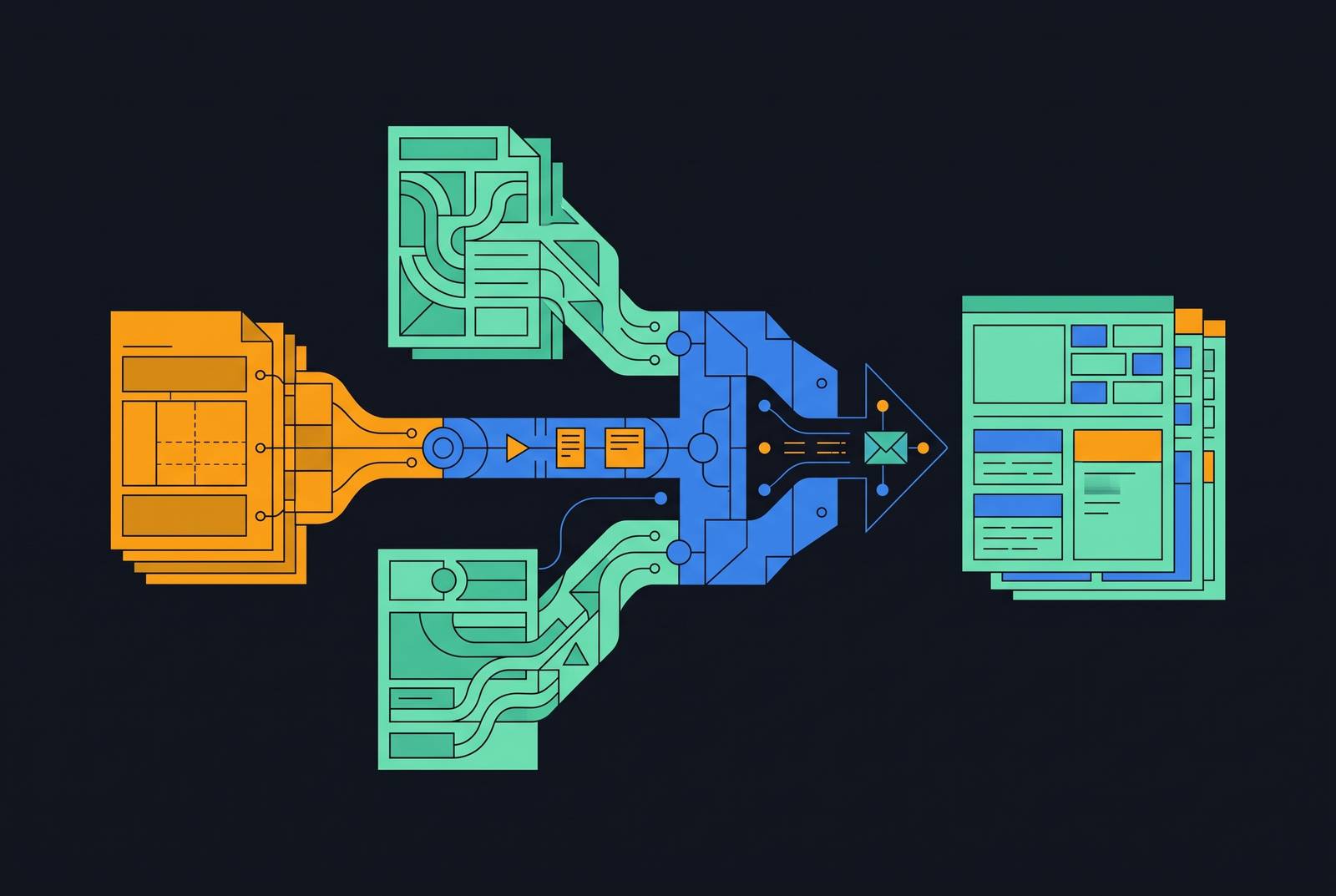
A real auto-generation pipeline does more than convert YAML into HTML. It treats the spec as a build input that drives several outputs at once: human-readable reference pages, SDK code samples in whatever languages the team ships clients for, and machine-readable documentation meant for AI agents rather than people. That distinction, between a static viewer and a true pipeline, is the one that separates tools that merely display a spec from tools that build a documentation system around it.
The pipeline itself runs in recognizable stages. The spec gets parsed and validated, its internal $ref pointers get resolved into a single in-memory document, the tool walks the resulting tree of channels, operations, and endpoints, schemas and examples get expanded into full detail, and the result gets emitted to whatever targets the tool supports. On the human-readable side, that means interactive reference pages: endpoint details, parameter tables, response schemas for each status code, and increasingly a live "try it" playground where a developer can fire a real request against the API without leaving the documentation page.
The SDK layer deserves particular attention, because most production API usage today runs through typed client libraries rather than raw HTTP calls, so documentation that only shows cURL examples is already describing a workflow most developers won't actually use. When SDK generation and documentation generation both draw from the same spec, a spec change propagates to the SDK code samples automatically, so no one needs to manually update a second artifact. This is the architectural insight that makes the whole approach worth adopting: SDK examples shown on a reference page cannot drift from the real client library behavior, because both are derived from the identical source artifact. The practical result for a developer is concrete. Instead of reading a cURL snippet and mentally translating it into whatever language their application is written in, they see the exact Python or TypeScript call they're about to make, generated correctly because it came from the same place the client library itself came from.
The third output, machine-readable documentation, serves a newer audience for API docs, one that didn't exist in any meaningful volume a few years ago. Generation pipelines increasingly emit llms.txt indexes, machine-readable protocol servers, and clean Markdown alongside the HTML, specifically so that coding assistants, procurement platforms, and autonomous agents can read and act on the documentation without parsing a rendered web page built for human eyes. AI agents now sit alongside human developers as consumers of API documentation, and documentation that exists only as styled HTML is effectively invisible to that growing audience. A generation pipeline that produces reference pages, SDK samples, and machine-readable output from one spec is answering three audiences from one source of truth, which is a materially different proposition than a tool that renders a pretty page and stops there.
What generated event-driven docs still get wrong
Generation is not a complete substitute for human judgment, and the clearest place to see the limit is event-driven API documentation. Generated AsyncAPI output reliably covers message schemas and just as reliably omits everything a developer actually needs to open a connection, authenticate against it, and recover when something goes wrong. That gap has to be closed with authored prose, not with a better generator, because the missing information doesn't live in the spec's object model to begin with.
This gap is structural, and no future tooling improvement will close it. A spec describes what messages exist and what shape they take. It does not describe the sequence of steps required to exchange them, because that sequence is implementation behavior, not schema. A developer trying to consume a WebSocket channel needs a connection sequence, an authentication handshake, a subscription model, some statement of ordering guarantees, and a reconnection strategy for when the connection drops. A message schema cannot capture any of that, no matter how well the generator renders it. Protocol bindings sit in an awkward middle ground here: WebSocket upgrade headers, Kafka group IDs, and MQTT QoS flags are technically present in the spec, but most generators under-render them, so confirming binding support before picking a tool is a concrete, answerable question rather than a nice-to-have.
One might argue this undercuts the whole case for generation: if the pipeline still gets the hard parts wrong, what has it actually solved? That objection deserves a straight answer rather than a dismissal. If the spec itself is hand-maintained and already known to be inaccurate, the fix is to correct the spec before putting it into a generation pipeline at all, because every downstream artifact, reference pages, SDK samples, machine-readable output, inherits whatever errors live in the source. If there's no quality check on the spec, generation doesn't eliminate wrong information. It distributes that wrong information faster and to more surfaces at once. That's a reason to gate the pipeline, not a reason to abandon it.
What falls out of this is a clean division of labor. Machines handle everything the spec can state formally: endpoint shapes, message schemas, parameter types, response codes. Humans handle connection lifecycle prose, authentication walkthroughs, and the reasoning behind rate limits and other operational choices that a schema was never built to express. That remaining surface is small enough to manage with ordinary editorial review, but it does not disappear simply because the rest of the pipeline is automated.
CI/CD enforcement turning spec-first generation from a practice into a guarantee
Most engineering teams already run CI pipelines that block a merge when a test suite fails. Far fewer run an equivalent check that blocks a merge when a documented parameter has quietly vanished from the implementation, and that asymmetry is where spec-driven generation either holds up under real engineering pressure or quietly breaks down. The effect is that the spec update and the corresponding code change are forced to travel together through the same pull request. Either both ship, or neither does.
This is the same docs-as-code workflow described earlier, now doing enforcement work rather than just organizational work: documentation files live in Git, changes move through pull requests and peer review, and CI/CD owns publishing, exactly the workflow engineering teams already use for application code. Preview deployments add a review step on top of that: a reviewer can see what the published page will look like before it goes live, which catches rendering errors and missing sections before an external developer ever encounters them.
But CI enforcement has a boundary, and it's an important one to name honestly. The drift it cannot catch is drift that predates the pipeline, the gap between a spec and an implementation that was already present before anyone started generating documentation from that spec. If a team inherits a stale or inaccurate spec and routes it straight into a generation pipeline, it ends up publishing documentation that looks authoritative but describes behavior the API doesn't actually have. That's why spec quality gates, linting, schema validation, example validation, belong at the entry point of the pipeline, not bolted on only at the publishing step. CI enforcement guarantees that future drift gets caught. It says nothing about drift that already exists in the spec a team is starting from, and auditing for that has to happen before the pipeline, not instead of it.
How the major tools handle OpenAPI generation in practice
OpenAPI rendering itself is a solved problem at this point. Most serious tools can take a well-formed OpenAPI spec and produce a clean reference page from it without much drama. The differences that actually matter when choosing between them appear in SDK integration, the quality of the interactive playground, how well the tool serves AI agents rather than only human readers, and whether the spec is treated as a live build input or something uploaded once and left to go stale.
Fern, now part of Postman following its acquisition on January 8, 2026, generates client libraries across TypeScript, Python, Go, Java, C#, PHP, Ruby, Swift, and Rust, alongside a documentation site with a built-in API playground and AI search. Because the SDKs and the documentation come from the same source, code samples on the reference pages don't require a separate manual sync process to stay correct. More than 200 companies run on Fern, including Square, Auth0, Adobe, Twilio, and ElevenLabs. Auth0 reports saving more than 7,000 engineering hours a year through the generated SDKs, and Frame.io cut the time to a developer's first successful API call from days to under an hour. In August 2026, Fern launched Fern Agent, a system that reads search queries, user feedback, and analytics, drafts documentation changes in response, and hands them to a human for review rather than publishing autonomously. Fern's output now includes machine-readable documentation, an llms.txt index, and an MCP server alongside the human-facing pages, and the Postman acquisition extends its reach to a considerably larger set of companies globally.
Swagger UI remains the open-source baseline for rendering OpenAPI specs, familiar to nearly anyone who has worked with the format, with SwaggerHub layered on top to add API design and governance tooling. Swagger holds a notable share of the documentation tool market, second only to Postman in usage, and enterprise teams tend to gravitate toward SwaggerHub specifically for its governance workflows, where the predictability of a well-understood rendering layer matters more than novelty.
Redoc has a large, active install base and is particularly strong at producing clean, readable reference documentation straight from an OpenAPI spec, though it does not generate SDKs on its own, which makes it a rendering tool rather than a full pipeline in the sense this piece has been describing.
Docusaurus suits teams that want full control over the documentation site itself and have the engineering capacity to build and maintain the OpenAPI integration layer on top of it, trading convenience for flexibility.
Treblle takes a genuinely different approach from everything else on this list: rather than generating documentation from a manually maintained spec, it auto-generates OpenAPI-backed documentation directly from live API traffic and SDK instrumentation. That makes it a useful option for teams whose spec has drifted too far to trust and who need a documentation baseline built from what the API is actually doing in production, a different trade-off than the spec-first tools surveyed above, but a legitimate one for teams starting from a spec they can no longer rely on.
Across all of these, the choice isn't which tool renders OpenAPI most attractively, since by this point in the category's maturity, most of them render it competently. The tool either treats the spec as a living build input that keeps SDKs, reference pages, and machine-readable output in lockstep, or it treats the spec as a document to be uploaded once and quietly left behind.