Connecting Azure DevOps CI Pipelines to Your Documentation Workflow
Treating documentation as a pipeline artifact enforces updates alongside code changes.
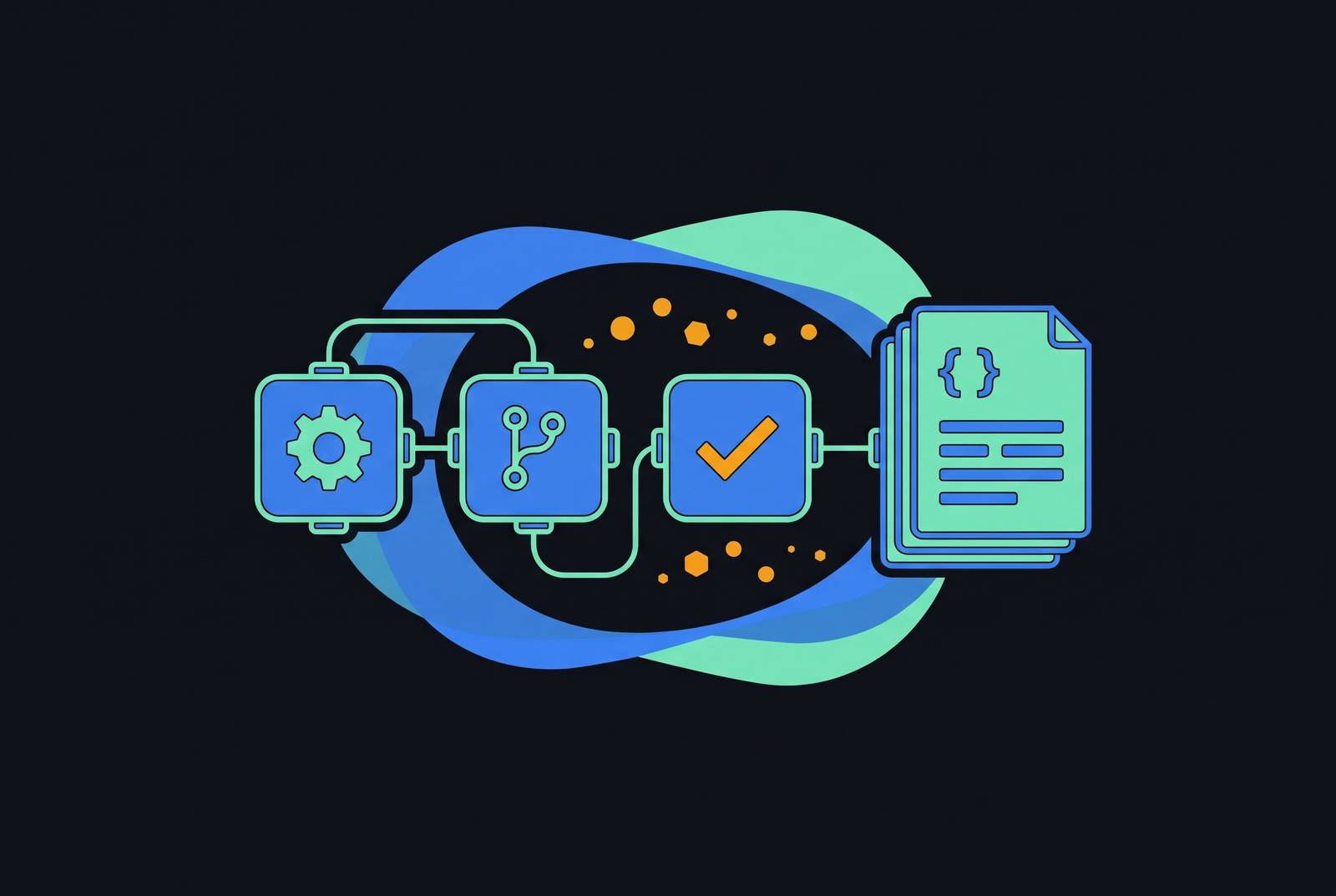
Documentation stays up to date when updating it is part of shipping code. Connecting Azure DevOps CI pipelines to the documentation workflow means treating the built documentation as a pipeline artifact, with generation, validation, review, and publishing enforced in the same YAML delivery path as the application.
Why documentation drift is a pipeline problem, not a discipline problem
A new hire follows a stale setup guide and loses time before doing useful work. An SRE executes a runbook that references a retired pipeline. Both problems start earlier, when the system changes but the documentation is left out of the process that checks and releases that change.
The merge sequence makes the gap clear. An engineer commits code, CI runs, the build passes, and the work item closes. If updating the documentation is an optional step outside that sequence, skipping it is the path of least resistance. Asking engineers to remember leaves the same weakness in place through every sprint, reorganization, and new service.
This process problem leaves documentation quality dependent on follow-through after the enforced work is complete, while the pipeline already gives code quality an enforced boundary. The structural fix is to move documentation inside that boundary. That raises a more useful question than who forgot the update. What must the delivery process check before it can call the change complete?
What docs-as-code means inside an Azure DevOps pipeline
Docs-as-code begins with documentation source in the same repository as application code. In Azure DevOps, it extends to named documentation-generation, validation, and publishing stages in the same YAML pipeline that builds the application. The pipeline definition is versioned code too. A pull request can therefore change application logic, the documentation explaining it, and the steps that build and check that documentation.
The YAML hierarchy is brief enough to follow without a tutorial. Triggers set when automation runs, stages have jobs, and jobs have steps. A docs stage fits into that hierarchy beside the application build. Microsoft's Azure Pipelines baseline architecture separates PR, CI, and CD into three distinct pipelines with explicit responsibilities. Those responsibilities provide the model for separating validation, artifact creation, and deployment within the documentation workflow.
YAML supplies the review parity this pattern needs. Because the definition lives in the repository, a change to the documentation build passes through pull request review just as an application change does. Classic UI-based pipelines live inside Azure DevOps rather than in the repository, making them the wrong fit for this repo-reviewed pattern. Ownership can still remain distinct. Technical writers own structure, clarity, and content, while DevOps engineers own pipeline tasks and hosting integration, with both groups contributing to the same YAML file through pull requests.
Structuring the pipeline: PR validation stage versus merge-and-publish stage
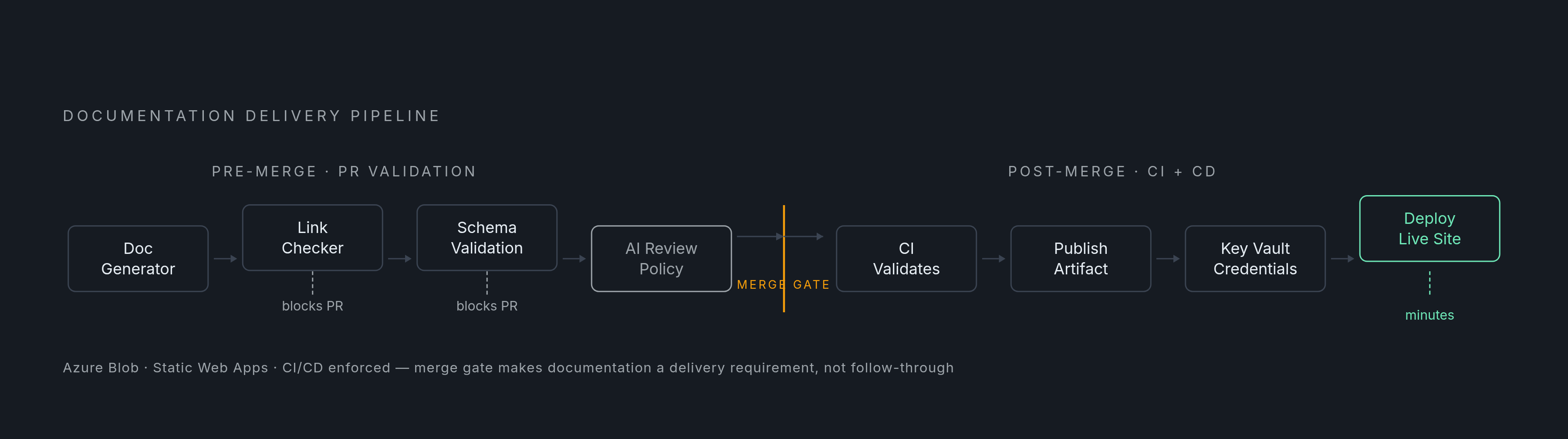
The PR validation stage checks whether the documentation change is ready to merge. It builds documentation from source, checks links, and validates schema or structure. Every failed check must fail the job. Microsoft's baseline assigns “fast quality checks” to the PR pipeline, and documentation validation serves that same purpose. Reviewers get a failure signal before the branch merges, so they can catch a broken page before it is published.
That signal must be part of the merge gate. A failed documentation check should block the PR in the same way that a failed unit test does. This prevents known build and validation failures from being accepted silently. Content review remains a separate responsibility.
After merge, CI repeats the checks and publishes the built documentation as a pipeline artifact. CD then receives that artifact for deployment. The distinction is important because publishing an artifact and updating a live site are different responsibilities. The baseline assigns build-artifact creation to CI, giving a documentation site the same provenance chain as the application binary. The deployable output is no longer whatever someone happened to upload manually.
The scope of the triggers controls whether this split works without builds that are not needed. A Markdown-only change should not require a full application rebuild, while a change to an API surface should not bypass documentation validation. Path filters set those rules in the YAML trigger block, especially in a monorepo that has several services. Yet narrow filters can undermine the gate they are meant to streamline. Scoping documentation validation to the directory containing both a service's source and its docs, rather than to docs alone, keeps related code changes inside the validation boundary without rebuilding every other service.
Choosing a documentation generator that fits a CI pipeline
Pratik Vasagadekar's MkDocs pattern shows a complete route from source to hosted output. It uses UsePythonVersion@0 to set Python 3.12, installs mkdocs and mkdocs-material from requirements.txt, and runs mkdocs build. The pipeline publishes the resulting site/ directory as a build artifact named MkDocsSite. Azure File Copy then deploys it to Azure Blob storage with static website hosting enabled. Each operation has a defined place in the delivery chain.
A second MkDocs pattern targets Azure Static Web Apps. It uses Poetry for dependency management, runs poetry run mkdocs build, and copies staticwebapp.config.json into site/. Deployment uses the AzureStaticWebApp@0 task with a deployment token held in a pipeline secret variable. The hosting choice changes the deployment integration while preserving the separation between building documentation and releasing the output.
The generator decision still requires attention to feedback time. The friction a docs stage introduces depends on build speed, plugin stability, and the hosting destination. Sphinx is a viable alternative, but its longer build time at scale is more significant in a tight PR feedback loop than in a nightly publishing pipeline. Generator selection should reflect where readers and reviewers need speed.
Regardless of generator, build errors must stop the job. Logging a warning and continuing does not enforce anything at the merge gate. The credentials used for deployment also belong outside the YAML file, in Azure Key Vault or pipeline secret variables. Microsoft's baseline shows CI retrieving secrets from Key Vault before deployment.
Three failure modes that break enforcement after the pipeline is wired up
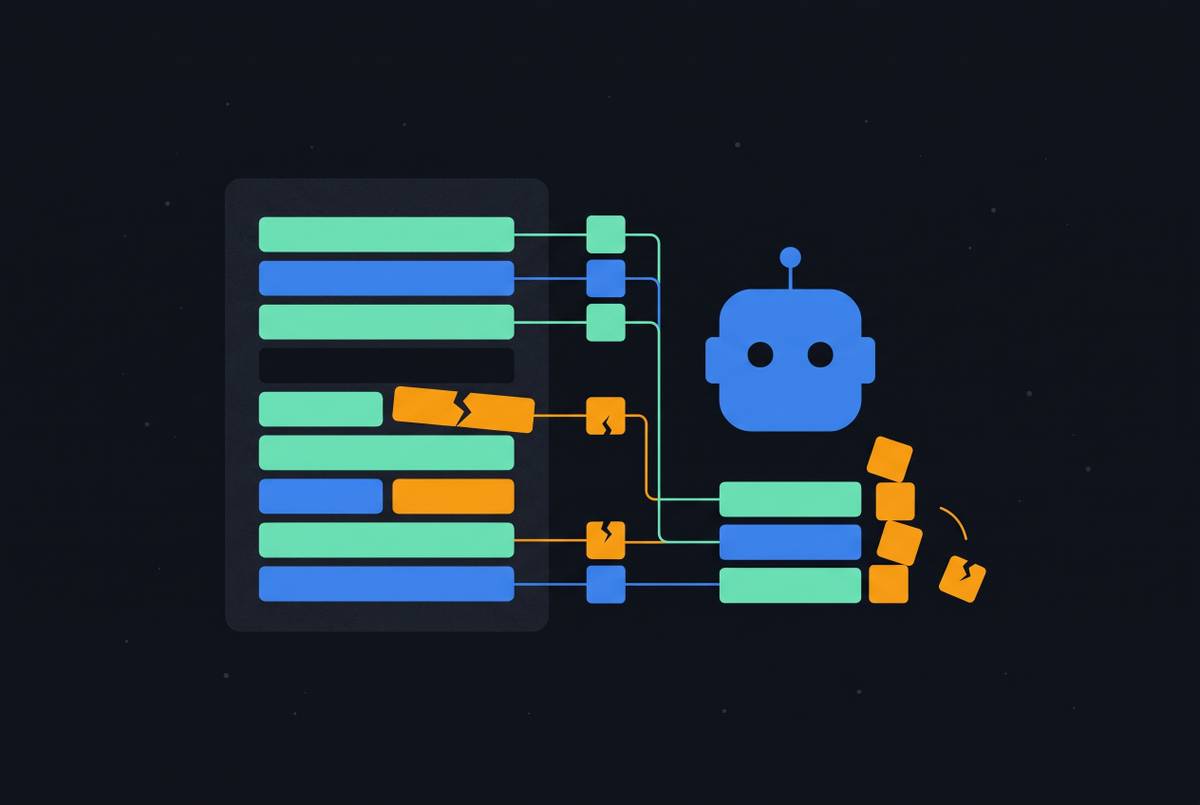
A docs job can report a broken link or missing metadata, exit with code 0, and leave the merge path open. The error exists only in the logs. The named fix is failure propagation, with every validation step exiting non-zero when a check fails.
The second pattern is automation writing directly to main. Generated documentation committed without a pull request bypasses the review gate, allowing a bad automated change to rewrite a trusted operational page before anyone sees it. Artifact publication fixes this by making the site output the build artifact that the deployment stage publishes.
The third pattern is a monolithic pipeline for everything. When documentation tasks are buried inside a large deployment pipeline, feedback is slow and responsibility for failures becomes unclear. The fix is a dedicated docs stage. Its own named job and clear failure messages make the documentation work visible enough to maintain. That visibility preserves the ownership split between content and delivery tasks rather than leaving both hidden in a general deployment failure.
A service connection can lose scope, a rotated secret can leave a pipeline variable outdated, or a repository restructure can leave triggers watching old directories. A pipeline step and a webhook can also compete to publish the same artifact. These are runtime failures. They explain why successful setup alone is not evidence of continuing enforcement.
A page can pass every structural check and still get the facts wrong. Failing a build for absent or broken documentation is therefore necessary but insufficient. A human must also review AI-generated output before it becomes the official record. The pipeline can enforce that review requirement, but it cannot replace the judgment the review supplies.
How AI tooling in Azure DevOps changes the pipeline's documentation role
The Azure DevOps Model Context Protocol Server gives an AI assistant secure access to work items, pull requests, builds, and documentation in an Azure DevOps organization. Its local version became available in general availability in late 2025, and the hosted Remote MCP Server went into public preview in early 2026. That access opens a useful monitoring path. An assistant can query whether recent code changes have corresponding documentation updates, reducing the need for manual dashboards or separate scripts. Such a query can identify missing documentation updates without proving that the accompanying documentation is correct.
CloudThat's June 2026 release-notes architecture illustrates a more active role for AI. Azure Functions calls Azure OpenAI, using GPT-4o in the AI review step, to generate release notes from commits, work items, and PR details. Structured output appears as PR comments within 8–12 seconds, and final notes are published to project documentation after successful deployment. This reduces the labor of assembling release information. It also places generated prose directly in a workflow where its review status must be clear.
AI assistance can shorten diagnosis when that workflow fails. GitHub Copilot, connected through the MCP Server in agent mode, can summarize pipeline failures and suggest likely fixes. Microsoft's troubleshooting guide includes the prompt “Compare the failing run of [pipeline] with the last successful run and tell me what changed”. AI assistance can help a developer understand a failed docs build sooner, while the pipeline retains responsibility for running the checks.
These capabilities depend on access to the documentation. Static pages that are outside any pipeline or agent-accessible system cannot be used in those query, update, and validation workflows. The design must therefore include a way to search documentation and connect it to those workflows from the start. What evidence should be required before an AI-produced page becomes authoritative?
Review policies, agent access controls, and audit logging must account for AI-generated content moving through Azure DevOps. For documentation, the decisive gate is evidence of human review before generated output becomes the canonical record. Assistance and authority must remain separate.
What a complete docs pipeline enforces, end to end
A complete workflow connects each gate to the next. Before merge, the documentation generator, link checker, and schema or structure checks run, with failures blocking the PR. After merge, CI repeats validation and publishes the built site as a named artifact. CD downloads that artifact and deploys it to Azure Blob static hosting or Azure Static Web Apps, retrieving deployment credentials from Key Vault. The live site can then update within minutes of merge without a manual upload or a direct commit to main.
AI-generated content must also pass review in that chain. A required reviewer policy on the PR or a manual intervention task in CD gates the output before it becomes the canonical record. Microsoft's baseline has manual intervention before production release, which can also be used when publishing documentation. The pipeline keeps documentation current, hosting makes it queryable, and human review governs its authority, so agent workflows can draw on maintained knowledge.